



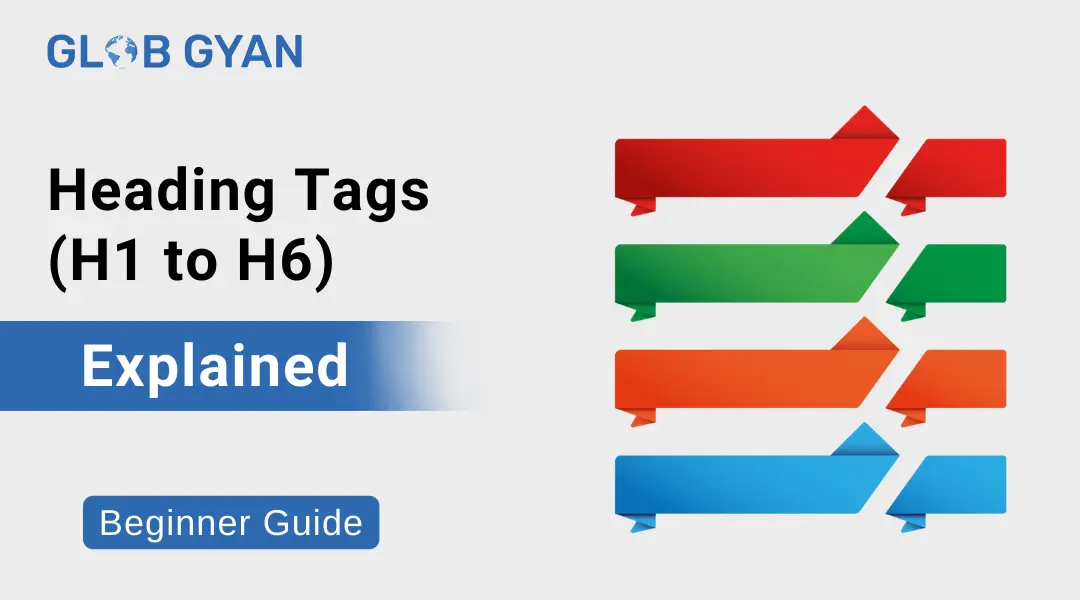
When it comes to on-page SEO, heading tags play a powerful role in improving both search engine rankings and user experience. If you want a properly structured and SEO-optimized article, understanding H1–H6 tags is essential.
If you have already read my detailed guides on “What is Digital Marketing” and “What is SEO”, you know that search engines focus heavily on content structure and clarity. Heading tags are a major part of that structure.
Let’s understand everything step-by-step.
What is a Heading Tag?
A heading tag is an HTML element used to define headings and subheadings on a webpage. These tags range from H1 to H6.
- <h1> – Main heading
- <h2> – Subheading
- <h3> – Sub-subheading
- <h4> to <h6> – Smaller subsections
Heading tags help:
- Search engines understand your content
- Users scan your content easily
- Improve SEO heading structure
- Create a clear content hierarchy
In simple words, heading tags SEO is about organizing content properly so both Google and readers can understand it.
What is an H1 Tag in SEO?
The H1 tag is the main heading of your page. It tells search engines what your page is about.
Why is H1 Tag SEO Important?
- It defines the main topic of your page
- Helps search engines understand relevance
- Improves rankings when optimized correctly
- Improves readability
Example:
If your blog topic is “Heading Tags (H1–H6) Explained,” that should be your H1 heading SEO.
SEO H1 Best Practices
- Use only one H1 per page
- Include your primary keyword naturally
- Keep it clear and descriptive
- Avoid keyword stuffing
How Many H1 Tags Per Page?
One of the most common questions is: how many H1 tags per page?
Technically, HTML5 allows multiple H1 tags.
But from an SEO perspective, it is recommended to use only one H1 tag per page.
Why?
Because:
- It keeps your SEO heading structure clean
- Avoids confusion for search engines
- Makes content hierarchy clear
H1 vs H2 – What’s the Difference?
Understanding H1 vs H2 is important for proper SEO headings.
| H1 Tag | H2 Tag |
| Main page title | Subheadings |
| Used once | Can be used multiple times |
| Highest priority | Second level priority |
| Defines overall topic | Defines sections of content |
Example Structure:
- H1: Heading Tags (H1–H6) Explained
- H2: What is H1 Tag SEO
- H2: How Many H1 Tags Per Page
- H2: SEO Header Tags Best Practices
This is called a proper SEO heading structure.
What are SEO Header Tags?
SEO header tags (also called SEO H tags) are headings optimized for search engines.
They:
- Include relevant keywords naturally
- Follow proper hierarchy (H1 → H2 → H3)
- Improve readability
- Support meta tags SEO efforts
Remember: Heading tags are different from meta tags SEO.
Meta tags are for search engines (title & description), while heading tags are visible inside the content.
SEO Heading Structure
Here is the correct structure for headings in SEO::
H1 – Main Topic: Only one per page.
H2 – Major Sections: Break content into main parts.
H3 – Subsections: Explain points under H2.
H4–H6 – Deep Details
Used rarely for very detailed content.
This structure helps create an SEO-optimized article structure with headings.
H Tags and SEO: Why They Matter for Rankings
Search engines use headings to:
- Understand page context
- Identify important topics
- Crawl content easily
- Show featured snippets
If your headings are optimized, your chances of ranking increase.
That’s why headings for SEO are not optional — they are essential.
Search Engine Headers and User Experience
Search engine headers improve:
- Content scanning
- Time on page
- Lower bounce rate
- Better engagement
When users quickly understand your article structure, they stay longer. That’s a positive SEO signal.
How Heading Tags Connect with Digital Marketing & SEO
In my blog “What is Digital Marketing”, I explained that digital marketing includes SEO, social media, paid ads, and content marketing.
Content marketing depends heavily on structure. Without proper SEO headings, your content cannot rank well.
Similarly, in my blog “What is SEO”, I discussed:
- On-page SEO
- Off-page SEO
- Technical SEO
Heading tags fall under On-page SEO, and they are one of the most basic yet powerful ranking factors.
So if you want to succeed in digital marketing, understanding heading SEO is compulsory.
Common Mistakes in Heading Tags SEO
Avoid these mistakes:
Using multiple H1 tags
Skipping hierarchy (H1 → H3 directly)
Keyword stuffing in headings
Using headings only for styling
Writing unclear or generic headings
Best Practices for SEO Headings
✔ Use one H1 tag
✔ Maintain proper hierarchy
✔ Add keywords naturally
✔ Keep headings clear and descriptive
✔ Write for users first, then optimize
Conclusion
Heading tags (H1–H6) are the backbone of a well-structured webpage. They help search engines understand your content and improve user experience.
If you want strong rankings, better readability, and a professional blog structure, focus on:
- H1 tag SEO
- Proper SEO heading structure
- Optimized headings for SEO
- Clean H tags and SEO hierarchy
Mastering heading tags is a small step that creates big SEO results.
Frequently Asked Questions
An H1 tag is the main heading of a webpage that defines the primary topic for search engines and users.
For best SEO practice, you should use only one H1 tag per page.
H1 is the main title of the page, while H2 is used for subheadings under the main topic.
Yes, proper heading tags SEO improves content structure, keyword relevance, and crawlability, which can positively impact rankings.
No. Heading tags are visible in content, while meta tags SEO (like title and description) appear in search results and HTML code.